How to Convert Mail to Excel Using Open-Source Tools
Managing large volumes of emails can be challenging, especially when you need to extract data and analyze it. Converting emails into Excel spreadsheets offers a streamlined way to organize and process information. The best part? Open-source tools make this process accessible and customizable.
Understanding the Process
Before diving into tools, it's crucial to understand the type of data you want to extract. Emails generally consist of:
- Headers: Sender, recipient, date, and subject.
- Body: Main content, plain text, or HTML.
- Attachments: Files like PDFs or images.
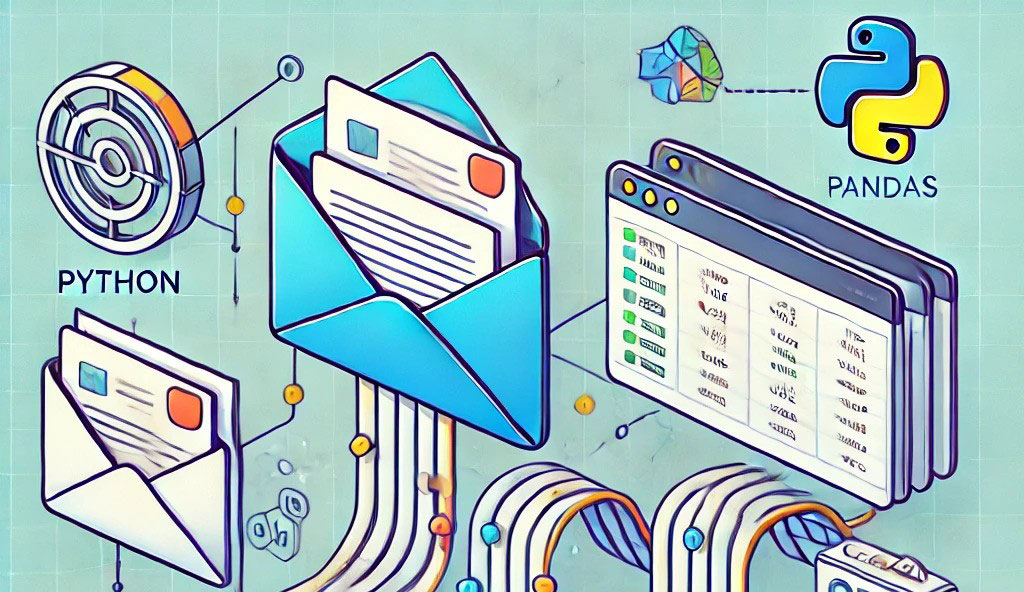
Extracting relevant data involves fetching emails, parsing content, and organizing it in a structured format suitable for Excel.
Popular Open-Source Tools
Several open-source tools simplify email-to-Excel conversion:
- Apache POI: A robust Java library for manipulating Excel files.
- Python Libraries:
- pandas for data manipulation.
- openpyxl for creating Excel files.
- Email Parsing Libraries:
- imaplib for fetching emails.
- email for parsing email content.
Setting Up Your Environment
To get started, you need a suitable environment:
- Install Python: Download and install the latest version of Python from python.org.
- Install Required Libraries: pip install pandas openpyxl imaplib email
- Email Client Configuration: Ensure your email account allows IMAP access. For example:
- Gmail: Enable IMAP in account settings.
- Outlook: Ensure IMAP settings are configured.
Extracting Emails
1. Connecting via IMAP
Use the imaplib library to connect to your email server: import imaplib mail = imaplib.IMAP4_SSL("imap.gmail.com") mail.login("your_email@gmail.com", "your_password") mail.select("inbox")
2. Fetching Emails
Fetch emails based on specific criteria: status, messages = mail.search(None, 'ALL') email_ids = messages[0].split() for email_id in email_ids: status, data = mail.fetch(email_id, '(RFC822)') raw_email = data[0][1]
3. Parsing Email Content
Use the email library to extract headers and body: from email import message_from_bytes msg = message_from_bytes(raw_email) subject = msg["subject"] sender = msg["from"] body = msg.get_payload(decode=True).decode()
Cleaning and Organizing Data
Once you extract the data, clean and format it for Excel. Use pandas for efficient data manipulation: import pandas as pd data = {"Subject": [subject], "Sender": [sender], "Body": [body]} df = pd.DataFrame(data)
Exporting Data to Excel
1. Writing Data in Excel
Leverage openpyxl to create an Excel file: df.to_excel("emails.xlsx", index=False)
2. Formatting the Excel File
Use openpyxl features for styling and formatting: from openpyxl import load_workbook wb = load_workbook("emails.xlsx") sheet = wb.active sheet["A1"].font = Font(bold=True) wb.save("emails.xlsx")
Automating the Process
Automate the script using schedulers:
- Linux: Use cron.
- Windows: Use Task Scheduler.
Advanced Features
1. Extracting Attachments
Handle attachments using the email library: if msg.is_multipart(): for part in msg.walk(): if part.get_content_maintype() == 'multipart' or part.get("Content-Disposition") is None: continue with open(part.get_filename(), "wb") as file: file.write(part.get_payload(decode=True))
2. Handling Complex Formats
For HTML emails, use libraries like BeautifulSoup: from bs4 import BeautifulSoup soup = BeautifulSoup(body, "html.parser") text = soup.get_text()
Use Cases
- Businesses: Extract customer inquiries for analysis.
- Personal Productivity: Organize newsletters or receipts.
Tips for Success
- Test scripts with a small dataset.
- Regularly back up extracted data.
Common Challenges
- Spam Filtering: Filter out irrelevant emails using keywords.
- Large Datasets: Optimize performance with batch processing.
Security Concerns
- Never hard-code credentials in scripts; use environment variables.
- Avoid sharing extracted data without anonymizing sensitive information.
Conclusion
Converting emails to Excel using open-source tools is both efficient and cost-effective. With Python libraries like pandas and openpyxl, along with email parsing tools, you can automate this task seamlessly. So, why not give it a try?
FAQs
Can I use these methods with Gmail?
Yes, just enable IMAP in your Gmail settings and use your credentials securely.
What if my email has attachments?
The email library can extract attachments. Save them separately during parsing.
Is Python the only way?
No, you can also use Java (Apache POI) or other scripting languages.
How do I secure my credentials?
Use environment variables or secure storage tools like keyring.
Can this handle bulk emails?
Yes, optimize by fetching and processing emails in batches.